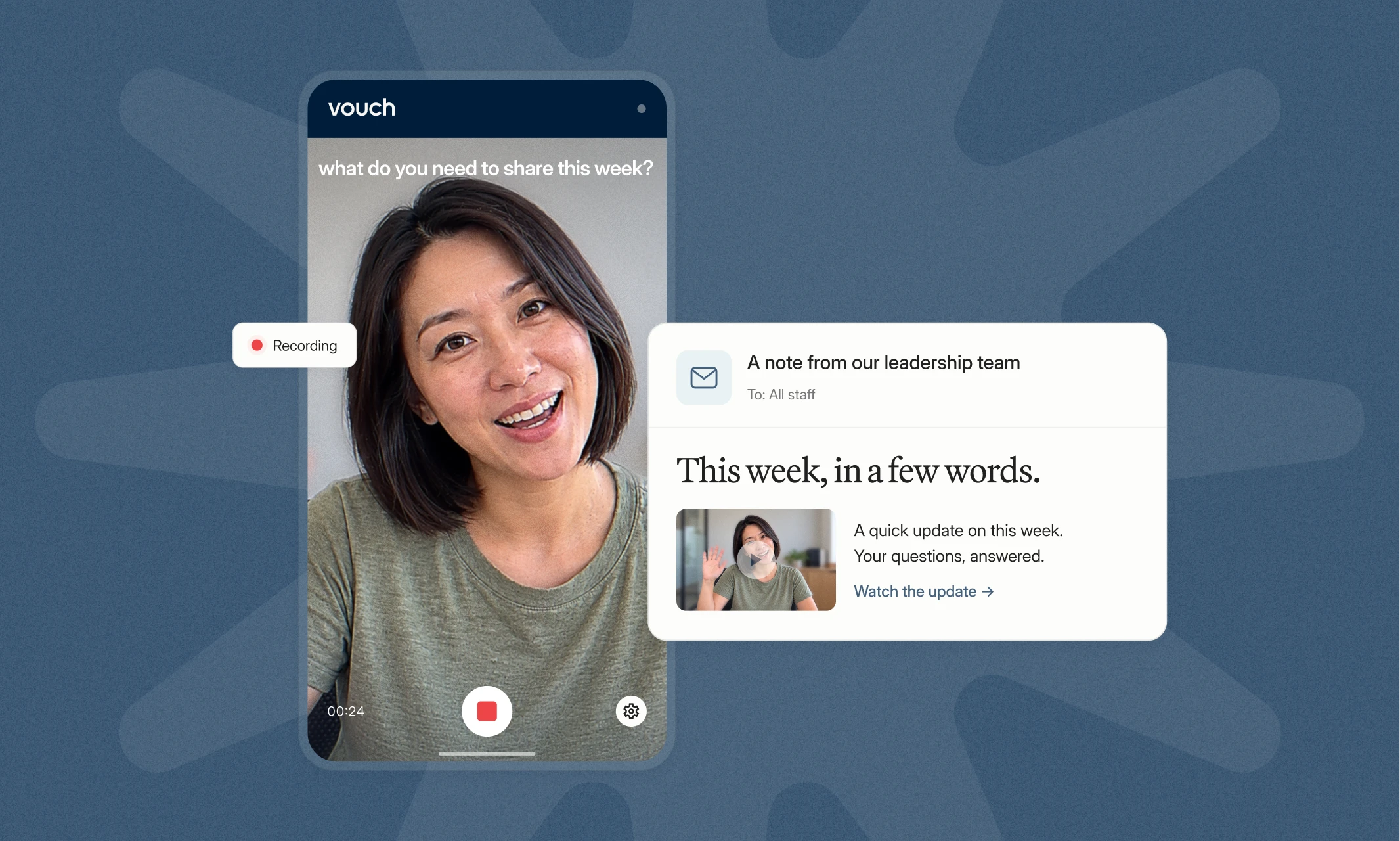
Keeping employees informed shouldn't mean scheduling another company-wide meeting or sending a long email that gets buried in everyone's inbox. Sometimes, the clearest way to explain what's happening is to let people hear it directly from leaders.
Internal communications videos help leaders share updates, explain decisions, answer employee questions, and connect teams across different locations. They also give employees the flexibility to access information when it works for them.
For Internal Comms teams, the challenge is easily creating useful video content while managing the demands of everyday communications. With the right approach and video tools, video can become a manageable part of your communication strategy.
This guide covers why video works for internal communications, the different types worth using, how to get started, and how to measure whether your videos are reaching the right employees.
Company updates worth watching
- Get busy leaders on camera
- Real faces behind big news
- Reach teams wherever they work
- Record, edit and share easily





Why use video for internal communications?
Video gives employees something written updates can't always provide: the opportunity to hear directly from the person delivering the message.
An email can explain a company announcement or new strategy. But watching a leader explain why a decision was made, what it means, and what happens next can add valuable context.
That doesn't mean every internal announcement needs a video. The goal is to use video where it makes communication clearer, more accessible, or more personal.
Make leadership more visible
Employees shouldn't have to wait for a quarterly town hall to hear from senior leadership.
Short, regular video updates give CEOs, executives, and department heads a way to communicate directly with employees, increasing employee engagement. They can cover business priorities, progress on important projects, or answers to questions employees have submitted.
Reach employees across locations and time zones
Getting everyone together becomes harder when your workforce spans different offices, countries, or shifts.
Recorded video allows employees to access information when they're available, regardless of where they work.
This is particularly useful for organizations with frontline or deskless employees who may not regularly attend company-wide calls.
Explain complex messages more clearly
Some announcements need more explanation than a written summary can provide.
Organizational changes, new processes, and strategic priorities are good examples. Video gives leaders an opportunity to explain the reasoning behind decisions, acknowledge employee concerns, and clarify what happens next.
Employees can also revisit the recording when they need to check specific information.
Build connections across the business
Internal communications aren't only about delivering company news.
Employee introductions, team updates, project highlights, and stories from different locations can help colleagues understand the people and work happening across the organization.
These videos can also reinforce company values and support a broader sense of belonging, particularly when employees rarely work together in person.
Make important information easier to revisit
A live meeting happens once, but the recording can continue to be useful.
Leadership messages, training sessions, and company announcements can become resources employees return to when needed.
Keeping these recordings accessible also helps teams preserve important information rather than relying on employees to remember everything from a single meeting.
Types of internal communications videos and when to use them
The most effective format depends on what you're communicating and who needs to hear it.
A leadership announcement might work best as a short recording, while a town hall could provide enough material for several follow-up videos.
Here are six formats Internal Comms teams can use.
1. Leadership updates and CEO messages
Leadership videos give executives a way to maintain regular communication with employees.
They're useful for:
- Weekly or monthly company updates
- Business priorities and strategic announcements
- Progress on important initiatives
- Responses to employee questions
- Recognition of team achievements
For example, a CEO could record a three-minute Friday update covering three business priorities and what employees should expect in the coming week.
With Vouch, the Internal Comms team can prepare the questions and send the CEO a recording link. The CEO can answer each prompt separately and submit the recordings for editing all within Vouch, using their phone or laptop, no extra download or programs required.
The same format can be repeated each week without arranging any filming sessions.
2. Frontline and distributed team communications
Employees working across stores, venues, sites, or different time zones don't always have access to the same communication channels as office-based teams.
Video can help businesses share operational updates, changes to workplace procedures, messages from regional managers, and important company announcements.
Instead of relying on one centralized recording, leaders from different locations can contribute short updates.
Internal Comms can then combine those recordings into a company-wide message or create separate versions for relevant teams.
Example: How Marston's uses Vouch for internal communications
Marston's PLC, a UK pub and hotel operator with a geographically dispersed workforce, uses Vouch to support regular employee communications.
The business uses video to share updates with employees working across different locations, including weekly, monthly, and quarterly communications.
Read the Marston's internal communications customer story to see how the team approaches video communication.
3. Town hall highlights and recaps
Town halls often contain important business updates, but not every employee can attend live or has time to watch the full recording afterward.
Instead of distributing an hour-long recording, Internal Comms teams can turn the most relevant moments into shorter updates.
One town hall might provide:
- A recap of the five most important announcements
- A clip explaining the company's new strategy
- A leadership response to an employee question
- A separate update about a policy change
With Vouch, teams can upload an existing town hall recording and use Ask Vouch, the in-built AI) to search for specific highlights employees should revisit.
For example, you could ask it to find the section where the CEO discusses next quarter's priorities or identify the answers employees who missed the meeting should hear.
Those sections can then be turned into shorter videos without recording the information again.
4. Change communications and company announcements
When something important changes, employees need to understand more than simply what's happening. They need to know why it's happening and how it affects them.
Video gives leaders an opportunity to explain changes directly while addressing questions employees are likely to have.
A change communications video should answer:
- What's changing?
- Why is the change happening?
- When will it happen?
- What does it mean for employees?
- What should employees do next?
- Where can employees get more information?
For larger changes, one announcement may not be enough.
You could create an initial leadership message, followed by shorter FAQ videos addressing concerns from individual teams or departments.
These recordings should support your wider change communications plan, including written information and opportunities for employee feedback.
5. Employee Q&As and leadership feedback
Employees won't always ask questions during a live meeting, particularly when the subject is sensitive or they're uncomfortable speaking in front of colleagues.
Recorded leadership Q&As provide another way to address employee concerns.
The process can be straightforward:
- Collect questions from employees, including anonymous submissions if appropriate.
- Select the questions leadership should address.
- Add them as recording prompts within Vouch.
- Send the Vouch recording link to the relevant leader.
- Edit the responses into a Q&A video using Ask Vouch.
- Share the answers with employees.
Individual answers can also become shorter clips for employees who need information about a particular topic.
This gives Internal Comms teams a way to address employee questions between larger company meetings.
6. Employee stories, training, and knowledge sharing
Not every internal communications video needs to come from leadership.
Employee introductions, department updates, training resources, and subject-matter expert recordings can help people understand how the wider business operates.
Common examples include:
- Introducing new employees or leadership team members
- Explaining internal processes and systems
- Sharing knowledge between departments
- Demonstrating a task or troubleshooting an issue
- Highlighting employee achievements
- Reinforcing company values and workplace culture
Employee spotlight videos are one way to introduce colleagues and build connections between teams. Our employee spotlight questions provide useful prompts for getting those conversations started.
Videos can also help employees understand the organization's values and priorities. Topics such as diversity, equity, inclusion, and belonging or the company's employee value proposition can be explained through employee perspectives and leadership messages.
Some employee content may also support external communications. For example, stories originally captured for internal use could inform employer brand content or recruitment videos, provided employees have agreed to that use.
For more examples, read our guide to internal communications video ideas.
How to get started with internal communications videos
You don't need to introduce video across every employee communication channel at once.
Start with one recurring message or communication problem where video could make a meaningful difference.
Step 1: Identify the message and audience
Before recording, decide what employees need to know and why video is the right format.
Consider:
- Who needs this information?
- What should they understand after watching?
- Is there an action they need to take?
- Who should deliver the message?
- Where will employees access it?
A company-wide leadership announcement will need a different approach from a process explanation intended for one department.
Being clear about the audience helps you determine the appropriate format, length, and distribution channel.
Step 2: Choose the right video format
Match the format to the message rather than creating the same type of recording for every situation.
The recording doesn't need to be complicated. A clear message from the right person is often more useful than a heavily produced video that takes weeks to organize.
Step 3: Prepare questions and recording prompts
A little preparation makes recording easier, especially for leaders who aren't comfortable speaking on camera.
Rather than asking someone to deliver an open-ended company update, provide a few focused prompts.
For a weekly leadership video, you might ask:
- What's the most important update from this week?
- What progress has the business made?
- Is there anything employees need to prepare for?
- What's coming up next week?
These prompts help contributors stay focused and give the Internal Comms team a clearer structure to work with when editing.
For recurring updates, you can reuse the same format rather than preparing an entirely new brief each week.
Step 4: Record and edit the content
Most internal updates don't need a studio, professional camera, or dedicated production team.
A phone or laptop, good lighting, and clear audio are often enough.
With Vouch, Internal Comms teams can create recording requests and send contributors a link. Leaders and employees can record from wherever they're working on whichever device without needing a Vouch account.
Contributors can also use Vouch’s in-built notes or a teleprompter and redo individual answers before submitting.
Once the recordings are submitted, the responses live within the Vouch library. From there the Internal Comms team can:
- Trim unnecessary sections
- Edit videos using the transcript
- Add captions
- Combine recordings from different contributors
- Create shorter clips for specific audiences
Ask Vouch (Vouch’s in-built AI) can also help reduce manual editing by finding relevant moments in existing recordings.
For more on this workflow, read about Vouch's AI video editing.
Step 5: Share videos through existing communication channels
Choose distribution channels based on where your employee base already expects and receives company information.
These might include:
- Employee email newsletters
- Slack or Microsoft Teams
- Company intranets
- Employee portals
- Existing internal communication platforms
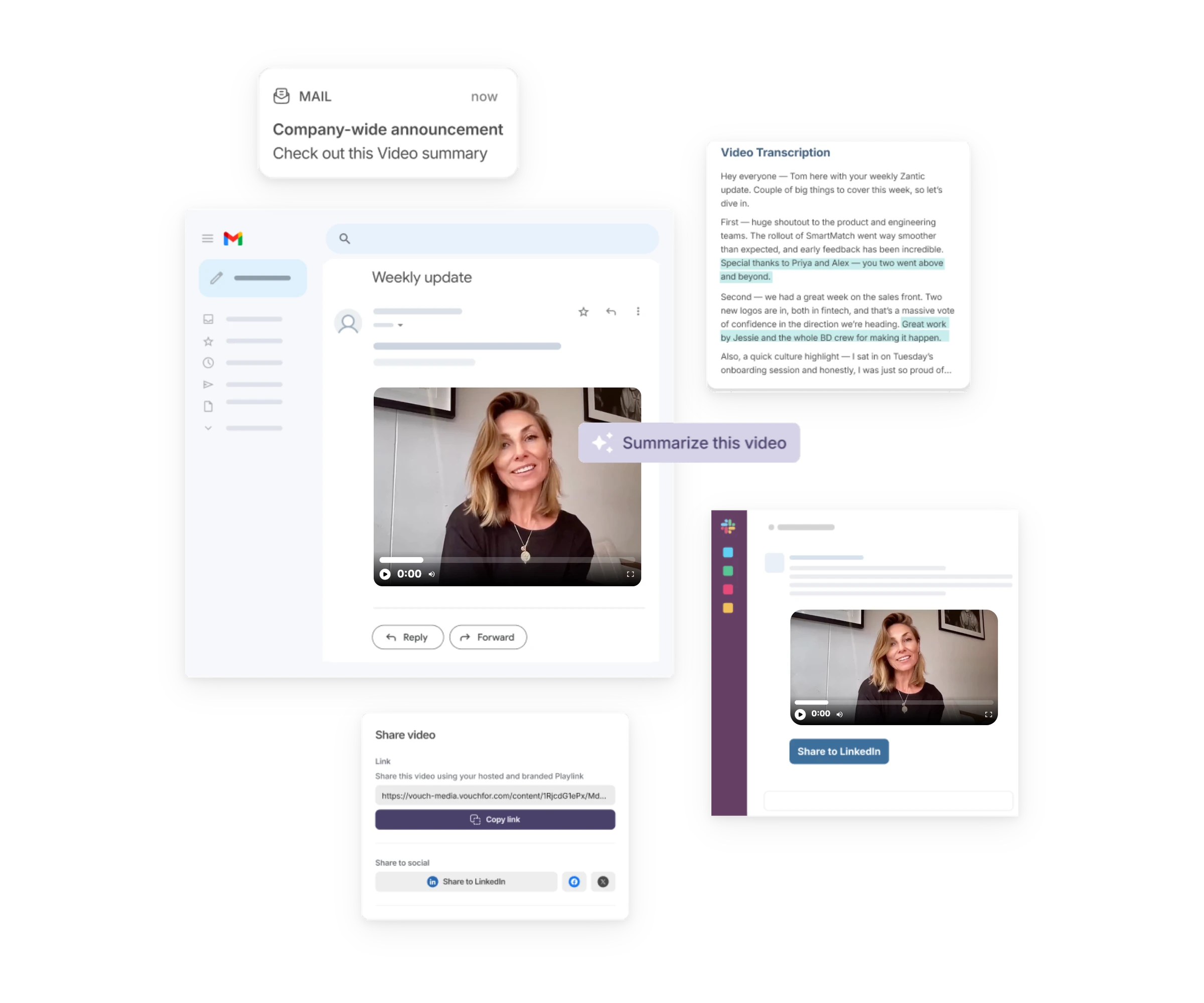
For example, a weekly CEO update might appear in the company newsletter, while a regional operational message could be shared through the relevant team's Teams communication channel.
You can also share different versions of the same recording. A full leadership message may be appropriate for the intranet, while a shorter clip can highlight an important announcement in an email.
The aim is to make video part of your existing workplace communication approach.
If you're comparing platforms, our guide to video tools for internal communications covers the different options available.
Best practices for effective internal communications videos
Good internal videos don't have to look like marketing campaigns. They need to communicate information clearly and respect employees' time.
A few consistent practices can make them more useful.
Keep each video focused
Give every recording a clear purpose and make the important information easy to find.
Lead with the key message rather than a lengthy introduction. If the topic requires more detail, use clear sections so employees can follow the explanation.
Prioritize accessibility
Employees should be able to access and understand the message regardless of where or how they're watching.
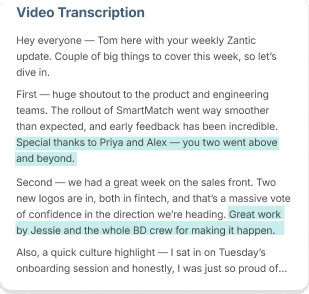
Add accurate captions, make sure the audio is clear, and provide a written summary or transcript when appropriate.
For important announcements, written information also gives employees something to reference without replaying the video.
Make participation easy
The more effort required to contribute, the harder it becomes to maintain a regular recording schedule.
Clear questions, simple instructions, and flexible recording options reduce unnecessary coordination.
This matters when you're collecting content from busy executives, frontline managers, or employees working across time zones.
Create a repeatable publishing schedule
Consistency helps employees know what to expect and makes planning easier for the Internal Comms team.
You might introduce a weekly CEO update, monthly department recap, or quarterly leadership Q&A.
Plan your recording requests, review deadlines, and publication dates in advance so everyone knows what's expected.
Give employees a way to respond
Video shouldn't become another one-way announcement channel.
Provide opportunities for employees to submit questions, request clarification, or share feedback after watching.
Those responses can help identify topics that need further explanation and inform future updates.
Organize your video content for future use
As your video library grows, finding the right recording can become difficult.
Use clear titles, consistent naming conventions, and a logical way to group videos by subject, department, or purpose. Vouch’s in-built tagging system can help.
Keeping content organized makes it easier to locate relevant material later, whether you're preparing another announcement or looking for an answer from a previous leadership discussion.
How to measure the effectiveness of internal communications videos
Publishing a video doesn't automatically mean employees watched it, understood the message, or knew what to do next.
To measure effectiveness, connect your reporting to the purpose of the communication.
A leadership announcement intended to explain a new policy should be assessed differently from an employee recognition video.
Here are four areas worth measuring.
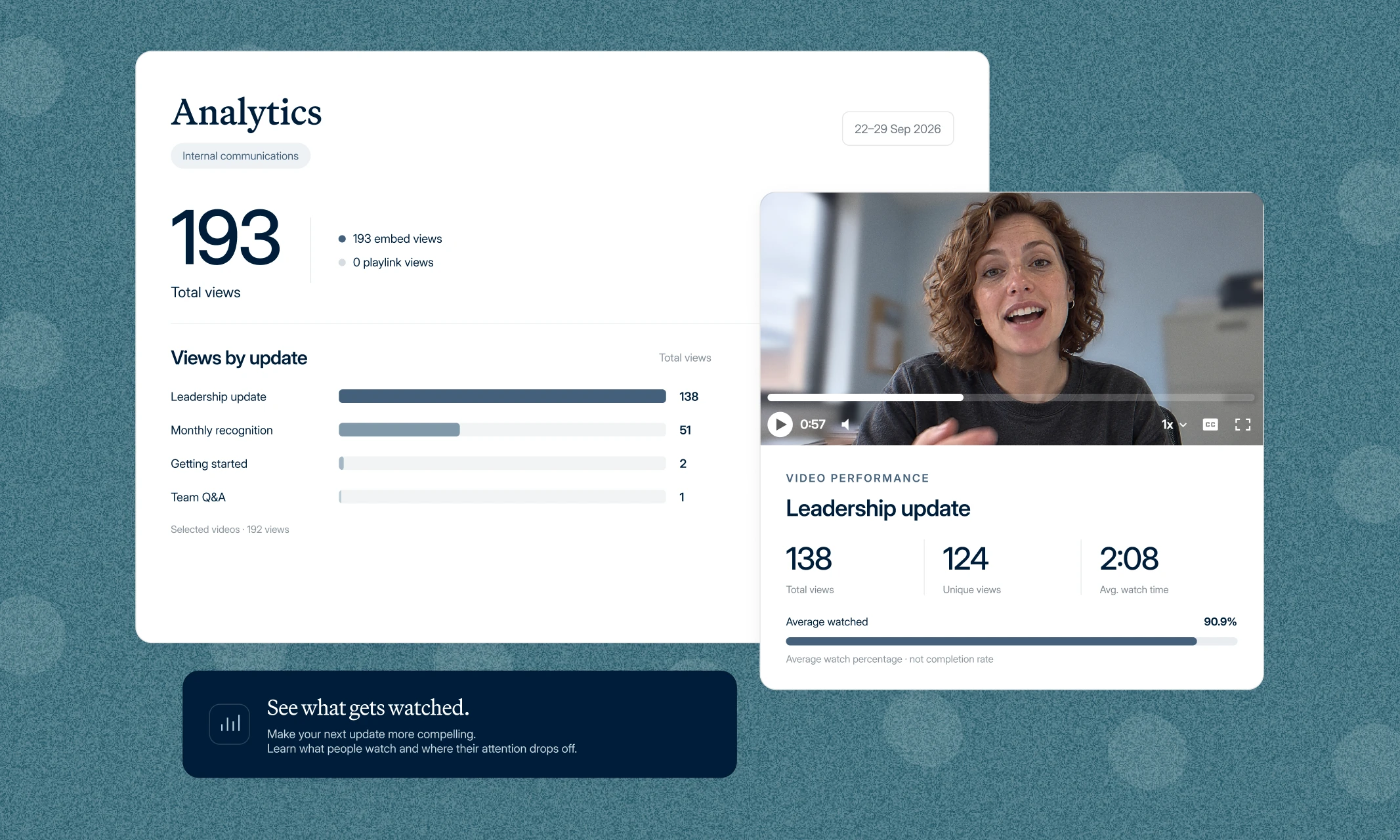
1. Reach and viewership
Reach helps you understand whether employees are accessing the content.
Depending on the analytics available through your video and distribution platforms, useful metrics may include:
- Total views
- Unique viewers
- Percentage of the intended audience reached
- Views by location, department, or channel
If a message is intended for frontline employees but most views come from head office, the problem may be distribution rather than the video itself.
2. Watch time and completion rates
Watch time and completion rates can help you understand how employees engage with the recording.
If viewers consistently stop watching early, the video might take too long to reach its main point.
Look for patterns across multiple recordings rather than treating one result as definitive.
A partial view isn't necessarily a problem. Someone watching a town hall recap may only need information from one section.
3. Employee feedback and understanding
Views don't tell you whether employees understood the message.
Short surveys, manager discussions, employee questions, and existing feedback channels can provide more context.
You could ask employees:
- Was the information clear?
- Do you understand what happens next?
- What questions remain unanswered?
- Was video a useful format for this message?
For change communications, employee understanding may be more valuable than a high view count.
4. Actions taken after watching
Some internal communications videos have a specific outcome.
If you're announcing a new process, you might measure whether employees complete the required training or follow the updated procedure.
For a leadership Q&A, you could assess whether employees submit questions and whether recurring concerns are addressed.
Review these results over time and use them to improve future updates. The most useful measurement is the one that tells you whether the communication achieved its intended purpose.
For a deeper look at tracking reach, engagement, and other communication outcomes, read our guide to internal communications KPIs.
How Vouch helps teams create and share internal communications videos
For Internal Comms teams, recording the video isn't always the hardest part.
It's getting contributors to participate, collecting their responses, preparing the final content, and making sure employees receive it.
Vouch brings these activities into a repeatable workflow.
Ask → Record → Edit → Share
Ask: Create a Vouch recording request with questions or prompts for leaders or employees.
Record: Contributors use a Vouch recording link to submit their answers from wherever they're working, no matter the device (phone or laptop).
Edit: Prepare the recordings for publication using Vouch's editing tools and Ask Vouch, the in-built AI) to find useful clips.
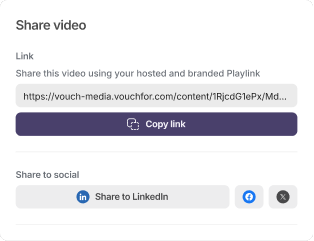
Share: Distribute the finished content through your existing employee communication channels.
This gives Internal Comms teams a consistent process they can use across different types of updates without managing each recording as an entirely separate project.
How Bupa uses Vouch for leadership updates
Bupa uses a version of this workflow for regular communications with its Chief People Officer (CPO).
Employees submit questions, the Internal Comms team selects those to address, and the CPO records responses on Friday.
The team prepares the video and shares it with employees that same day.
It's an example of how a structured recording process can support regular leadership communication within a short turnaround.
You can learn more about Vouch for Internal Comms and how teams use it to collect, edit, and distribute employee video content.
Frequently asked questions about internal communications videos
What are internal communications videos?
Internal communications videos are recordings organizations use to share information with employees.
They can include leadership messages, company announcements, employee stories, training resources, town hall highlights, and updates from different departments or locations.
They're typically distributed through existing employee communication channels.
What are the benefits of using video in internal communications?
Video gives employees an opportunity to hear directly from leaders, understand important announcements, and access information when they can't attend live meetings.
It can also support communication across distributed teams, help colleagues build connections, and create reusable resources for onboarding and knowledge sharing.
The benefits depend on the message, audience, and how the video is shared.
How long should an internal communications video be?
There's no single ideal length.
A quick company announcement may only need one or two minutes, while a leadership Q&A or training explanation could require more time.
Focus on what employees need to know. If a recording covers several unrelated topics, consider dividing it into shorter clips.
What equipment do you need to create internal communications videos?
For most employee recordings and leadership updates, a phone or laptop with a working camera and microphone is enough.
Clear audio, good lighting, and a quiet recording location matter more than expensive production equipment.
Video tools can also help teams prepare questions, collect responses, and edit recordings without arranging a formal filming session.
How often should companies share internal communications videos?
The right frequency depends on how often employees need updates and what information you're communicating.
Weekly videos can work for leadership updates, while monthly or quarterly recordings may suit broader business reviews.
Important organizational changes may require more frequent messages and follow-up Q&As.
Choose a schedule that provides useful information rather than publishing videos just to meet a target.
How can you encourage employees to watch internal communications videos?
Make the content relevant to the intended audience and explain why the information matters.
Use clear titles, share recordings through familiar channels, and make important sections easy to access.
Captions, written summaries, and employee feedback can also help make the content more accessible and useful.
Can internal communications videos replace meetings?
Some meetings can be replaced with recorded updates, particularly when the main purpose is sharing information rather than discussing or making decisions.
Weekly status updates, company announcements, and department recaps may not require everyone to attend at the same time.
Sensitive conversations, collaborative decisions, and complex discussions may still benefit from live meetings.
How do you integrate video with existing internal communication channels?
You don't need an entirely new communication channel to introduce video.
Recordings can be shared through employee newsletters, intranets, Slack, Microsoft Teams, and other platforms employees already use.
Choose the channels that make sense for the audience and the importance of the message.
Make internal communications videos easier to manage
Internal communications videos are most useful when they solve a real communication problem.
Start with one format that addresses a recurring need, establish a clear process, and build from there.
Vouch helps Internal Comms teams manage the work involved in collecting and preparing video content, making regular communication easier to maintain.
Book a Vouch demo to see how it works.

You might also like


Elevate Your Brand Today With Vouch
Discover how Vouch can accelerate talent acquisition while helping you stay on-brand.